When modifying table structures in SQL Designer—such as reordering columns or changing data types—the management tools may prevent you from saving changes that require table recreation. The error message states: “You have either made changes to a table that can’t be re-created or enabled the option Prevent saving changes that require the table be re-created.”
Here’s a workaround solution, though I assume no responsibility for data loss if you fail to back up your tables before attempting it.
The Fix
In SQL Management Studio:
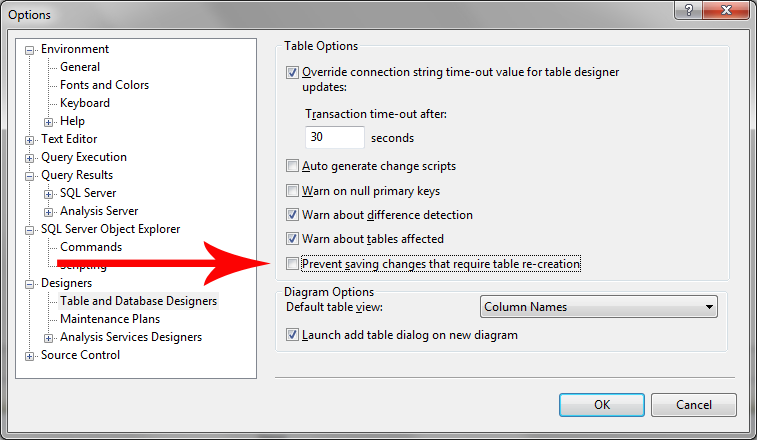
- Navigate to Tools → Options
- Uncheck the checkbox shown in the screenshot below
- Click Ok
After completing your modifications, consider re-enabling this setting to prevent accidental changes.
Alternative Approach
Rather than using the GUI workaround, you can write an ALTER statement using T-SQL, which avoids this issue entirely—though deadlines often make this less practical.