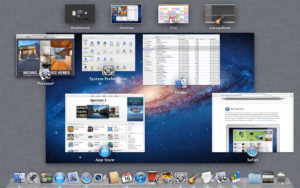
Back in the day, it was easier to tell what app it was! (Image from MacWorld.com)
I use Mission Control in macOS regularly while managing multiple applications. A common challenge arises with numerous apps running simultaneously—it becomes difficult to distinguish between similar applications visually. Apple previously displayed app icons on window representations, something many users wanted restored.
Here’s a tip: You can use quick view while in Mission Control. When the tiny window is highlighted, tap the space bar to make it bigger.
This quick view feature allows you to enlarge a window preview for better identification of applications when navigating Mission Control’s interface.